
Payroll file
Close the week. Download a payroll file.
Firmhours takes punches, approvals and time off through one period. When you close the week, you download a payroll file your bookkeeper can upload in the payroll you already run. You map the columns once, by drag and drop. It works for Gusto Smart Import, RUN Powered by ADP Time Sheet Import, Paychex Flex SPI, OnPay hours and any other provider that imports hours.
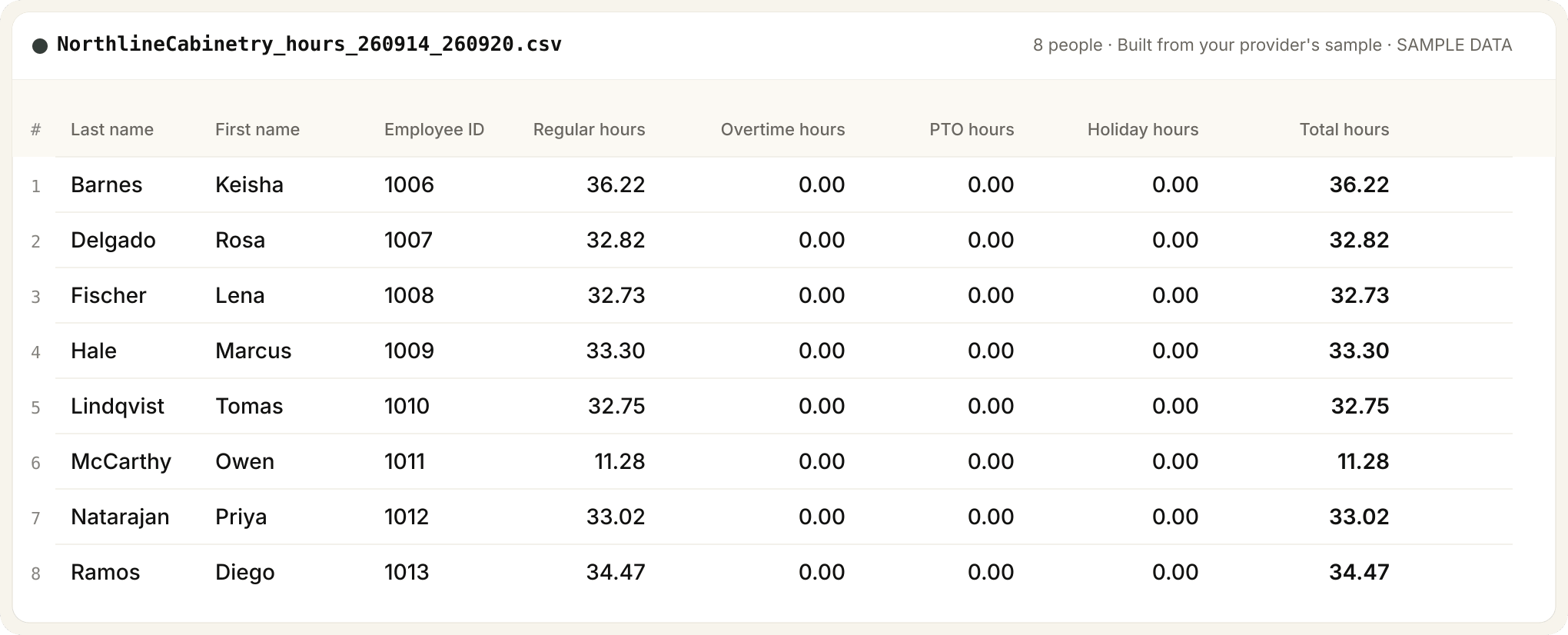
Built to match the payroll you already run.
Firmhours builds your file to match whatever your payroll provider asks for. Map the columns by hand once, by drag and drop: the order, headers and date style. Simple formats take seconds; complex ones a few minutes. Save it, and every export after that is one click. How the export builder works is on Product.
Turn imports on before your first payday
- RUN Powered by ADP: Time Sheet Import, turned on for your company
- Paychex Flex: Standard Payroll Import (SPI), set up through your rep
- OnPay: Upload Hours, turned on by OnPay support
- Gusto: Smart Import, under Pay, then Run payroll
OnPay has been tested with a real import. Gusto, RUN Powered by ADP and Paychex Flex are built to match. None of these are integrations. You upload the file yourself.
By provider
- Gusto Smart Import file
- RUN Powered by ADP Time Sheet Import file
- Paychex Flex SPI file
- OnPay hours file
- Any other provider
Bookkeepers: see Firmhours for bookkeepers. Replacing a time clock: vs QuickBooks Time.